The Essential Drush Commands Every Drupal Developer Should Know (Drush 13)
July 4, 2026 · By Dylan James
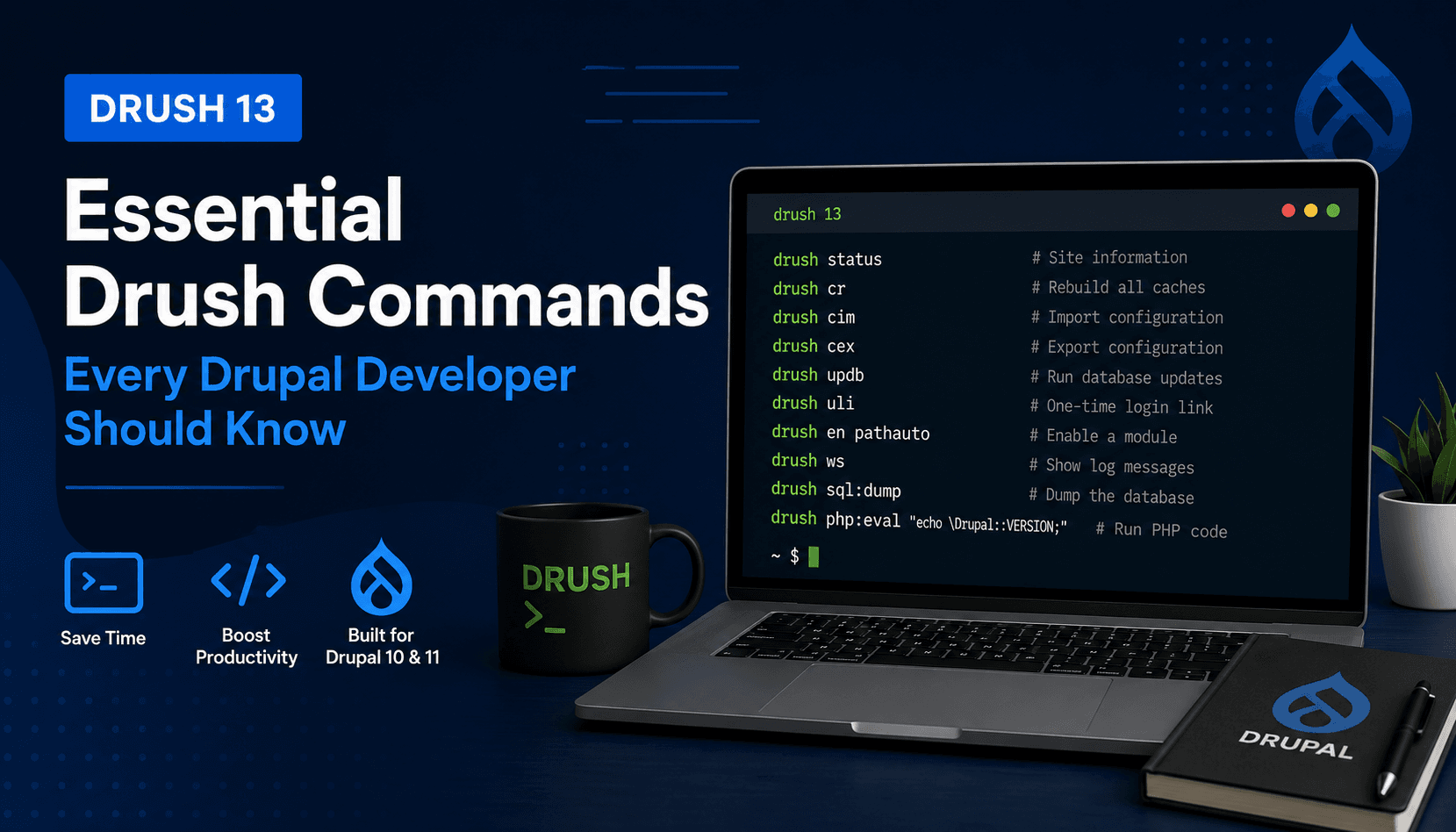
Whether you're building a new Drupal website, maintaining dozens of client projects, or debugging a production issue, Drush is one of the most valuable tools in a Drupal developer's toolkit.
Drush is the command-line interface for Drupal. It lets you perform common administrative tasks far more quickly than using the Drupal admin UI.
This guide covers the Drush commands that Drupal developers actually use every day. All commands are compatible with Drush 13 and modern Drupal 10 and Drupal 11 projects.
Tip: If you're using DDEV, prefix each command with
ddev. For example:ddev drush cr
Check your Drupal installation
Display site information
ddev drush status
Alias
ddev drush st
Displays useful information including:
- Drupal version
- PHP version
- Database
- Drush version
- Drupal root
- Site URI
Check your Drush version
ddev drush version
Useful when confirming compatibility with a project.
Cache management
Rebuild all caches
ddev drush cache:rebuild
Alias
ddev drush cr
This is by far the most frequently used Drush command.
Use it after:
- enabling modules
- changing services
- editing routing
- changing Twig templates
- modifying plugins
- changing permissions
Clear a specific cache bin
ddev drush cache:clear render
Useful when debugging caching issues without rebuilding everything.
Module management
Enable modules
ddev drush pm:enable pathauto
Alias
ddev drush en pathauto
Enable one or more installed modules.
Example:
ddev drush en token pathauto metatag
Uninstall modules
ddev drush pm:uninstall pathauto
Alias
ddev drush pmu pathauto
Removes the module and its configuration.
List installed modules
ddev drush pm:list
Displays all enabled and disabled modules.
Configuration management
Export configuration
ddev drush config:export
Alias
ddev drush cex
Exports the active configuration to your sync directory.
Run this before committing configuration changes.
Import configuration
ddev drush config:import
Alias
ddev drush cim
Imports configuration into the active site.
One of the most common deployment commands.
View configuration differences
ddev drush config:status
Shows configuration waiting to be exported or imported.
Get a configuration value
ddev drush config:get system.site
Useful for inspecting configuration without opening YAML files.
Edit configuration
ddev drush config:edit system.site
Opens configuration directly in your default editor.
Database commands
Update database
ddev drush updatedb
Alias
ddev drush updb
Runs pending database updates after updating code.
Typical deployment sequence:
ddev drush updb
ddev drush cim
ddev drush cr
Open a database shell
ddev drush sql:cli
Alias
ddev drush sqlc
Launches a MySQL or PostgreSQL shell.
Dump the database
ddev drush sql:dump > database.sql
Creates a SQL backup.
Drop all database tables
ddev drush sql:drop
Useful when rebuilding a local environment.
Use with caution.
User management
Log in as user 1
ddev drush uli
Generates a one-time login link.
One of the biggest time-savers in Drupal.
Generate a login link for another user
ddev drush uli username
Example:
ddev drush uli admin
Reset a password
ddev drush user:password admin
Create a user
ddev drush user:create alice
Add a role
ddev drush user:role:add administrator alice
Cron
Run cron
ddev drush cron
Runs scheduled tasks immediately.
Useful for testing feeds, queues and scheduled jobs.
Maintenance mode
Enable maintenance mode
ddev drush state:set system.maintenance_mode 1
Disable maintenance mode
ddev drush state:set system.maintenance_mode 0
Always rebuild caches afterwards.
ddev drush cr
Development
Execute PHP
ddev drush php:eval
Example:
ddev drush php:eval "echo \Drupal::VERSION;"
Excellent for quick debugging.
Open an interactive PHP shell
ddev drush php
Allows experimentation with Drupal services.
Watchdog logs
ddev drush watchdog:show
Alias
ddev drush ws
Displays recent log messages.
Tail log messages
ddev drush ws --tail
Useful while debugging.
Site administration
Browse the site
ddev drush browse
Opens the site in your default browser.
Display available commands
ddev drush list
Useful when exploring Drush functionality.
Get help for a command
ddev drush help config:export
Displays all options and examples.
Deployment workflow
A typical deployment sequence for many Drupal projects looks like this:
ddev drush updb
ddev drush cim
ddev drush cr
If you're deploying new content entities or cache-sensitive changes, you may also run:
ddev drush cron
Drush aliases worth remembering
| Alias | Full command |
|---|---|
cr | cache:rebuild |
cex | config:export |
cim | config:import |
st | status |
uli | user:login |
updb | updatedb |
ws | watchdog:show |
sqlc | sql:cli |
en | pm:enable |
pmu | pm:uninstall |
Final thoughts
Learning Drush is one of the quickest ways to become a more productive Drupal developer. Most experienced developers use these commands dozens of times a day, and mastering them can save hours over the course of a project.
If you manage multiple Drupal websites, keeping track of environments, updates, documentation, and server information becomes just as important as running the right Drush commands. That's exactly the kind of operational workflow Fleetview is designed to simplify.